
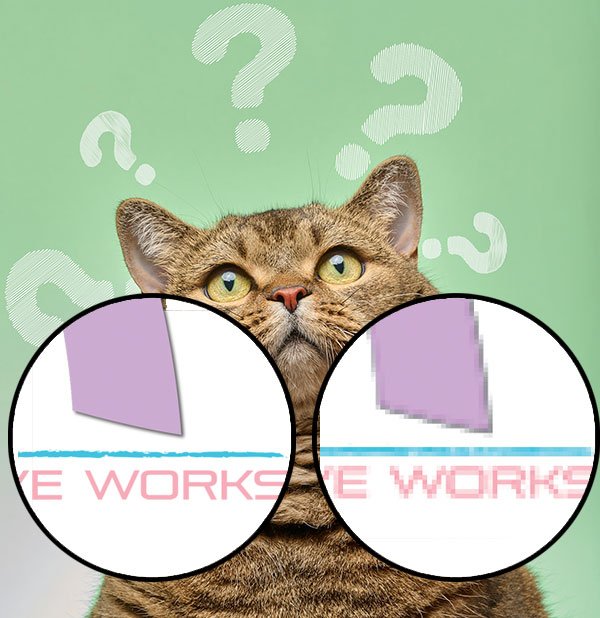
If you have ever downloaded artwork, sent a logo to a printer, or uploaded a design to sell online, you have probably seen terms like vector file and raster file. They sound intimidating, but the difference is actually simple and incredibly important.
Understanding this can save you from blurry prints, rejected uploads, and a lot of frustration.
What Is a Raster File?
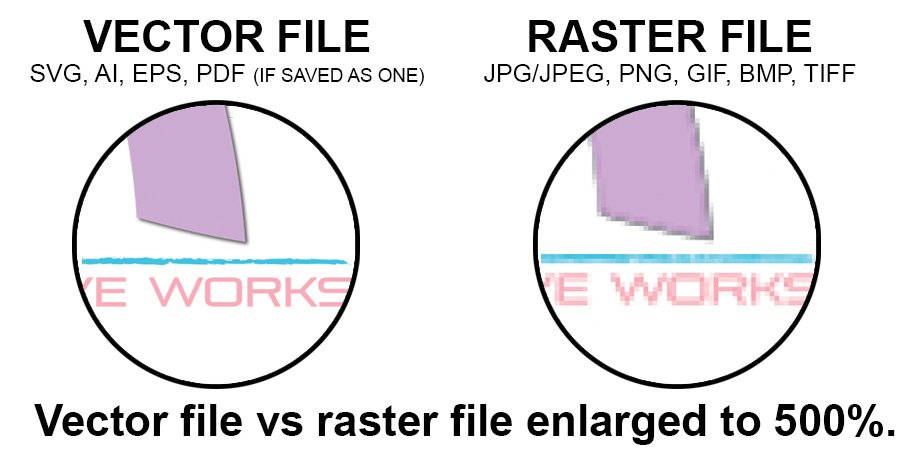
A raster file is made of tiny pixels. Think of it like a mosaic. When you zoom in close enough, you can see all the little squares that make up the image.
Common raster file types include:
- JPG or JPEG
- PNG
- GIF
- BMP
- TIFF
Key characteristics of raster files
- Made of pixels
- Quality depends on resolution
- Enlarging them too much causes blurriness or pixelation
- Best for photos and detailed images
When raster files work best
- Photography
- Web images
- Social media graphics
- Digital mockups
- Finished designs that will not be resized
If you try to print a small raster image very large, the image quality will suffer. This is one of the most common issues people run into when working with printers.
What Is a Vector File?
A vector file is not made of pixels. Instead, it uses dots, lines, and paths to tell the computer how to draw the image.
Vector files are like a connect the dots drawing
A raster file is already filled in with tiny dots.
A vector file is the dots and lines that tell the computer how to connect everything.
Because the computer is following instructions instead of stretching an image, it redraws the design cleanly every time, no matter how big or small it becomes.
Common vector file types include:
- SVG
- AI
- EPS
- PDF (when saved as vector)
Key characteristics of vector files
- Infinitely scalable with no quality loss
- Always crisp and clean
- File size is often smaller
- Perfect for logos and print production
When vector files work best
- Logos
- Icons
- Vinyl cutting and Cricut projects
- Screen printing and embroidery
- Large format printing like banners and signage
You can shrink a vector logo down to a business card or blow it up to a billboard and it will still look sharp.
The Simple Way to Remember the Difference
Here is an easy way to think about it:
A raster file is already filled in.
A vector file is instructions on how to fill it in.
If you make a raster file bigger, the dots get stretched and you start to see them.
If you make a vector file bigger, the computer redraws the dots and lines cleanly.
Use a raster file when:
- The image is a photo
- The size will not change
- A little softness is acceptable
Use a vector file when:
- The design needs to be resized
- The edges need to stay sharp
- It may be printed at different sizes
Can You Convert a Raster File Into a Vector?
Sometimes, but not perfectly. Software can trace a raster image into vector paths, but:
- It works best on simple designs
- Photos do not convert well
- The result often needs manual cleanup
This is why it is always best to start with a vector when creating logos or artwork meant for multiple uses.
Final Takeaway
- Vector and raster files are not better or worse than each other. They simply serve different purposes.
- Knowing the difference gives you control over your designs, protects your work quality, and saves time and money.
- If you are creating something meant to grow, scale, or be reused in many formats, vector is your best friend.